



Q4 The Escape Room: Introduction
Open The Room ~ What Makes a Great Escape Room?!?
Escape rooms are exciting, challenging, and require plenty of planning and organization. In this final activity, you will work with others to create a Digital Escape Room that puts your digital workspace skills into action.
A great escape room includes puzzles and clues that keep players thinking and entertained. If the challenges are too difficult, players may become frustrated—but if they are too easy, players will race through without much thought. Your goal is to find the sweet spot that makes your breakout challenging, fair, and fun!
It may be helpful to work backward as you plan:
- Decide what players must do at the end to successfully escape.
- Create three to five puzzles or challenges that lead to the final solution.
- Develop each puzzle, along with at least one helpful clue for players who get stuck.
- Use your calendar or task-management tools to organize responsibilities, set deadlines, and track your team’s progress.
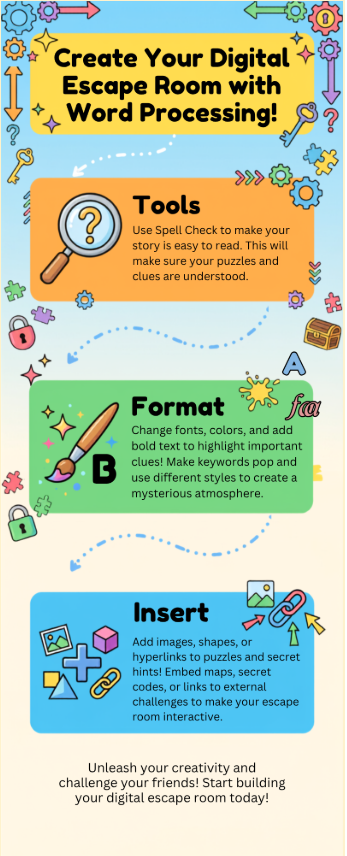
You will organize your breakout in a word-processing document and use formatting—such as fonts, colors, headings, and tables—to make it clear and easy to follow. You may also insert images and hyperlinks to connect players to clues, puzzles, and other resources. Tools such as word count can help you keep directions clear and concise.
As you build, think about how the breakout will flow. Does one puzzle lead to the next, or can players complete them in any order? Are the clues connected to reveal a final answer? Work together, organize your files carefully, and use the appropriate sharing settings so everyone on your team can contribute safely and successfully.
Before Your Create...
...Review the Infographic to connect the concepts that you read about in the previous paragraphs.
Let's Try One Out Before Moving On!
Individually, go through the digital escape room example. Think about different parts that you might want to incorporate within your team digital escape room.
Digital Escape Room: Just A Demo


Competencies and Standards
MITECS Michigan Integrated Technology Competencies for Students, and
1. Empowered Learner
c. Students use technology to seek feedback that informs and improves their practice and to demonstrate their learning in a variety of ways.
d. Students understand fundamental concepts of how technology works, demonstrate the ability to choose and use current technologies effectively, and are adept at thoughtfully exploring emerging technologies.
6. Creative Communicator
a. Students choose the appropriate platforms and digital tools for meeting the desired objectives of their creation or communication.